Grievance metrics
Read the headline numbers, open cases by step, days per step, and outcomes by employer and type.
Open Metrics in the Grievances group of the sidebar. Everyone with the add-on can see it. Most numbers link to the case list filtered to match. Metrics count every case in the local, including ones outside a limited staff member's view.
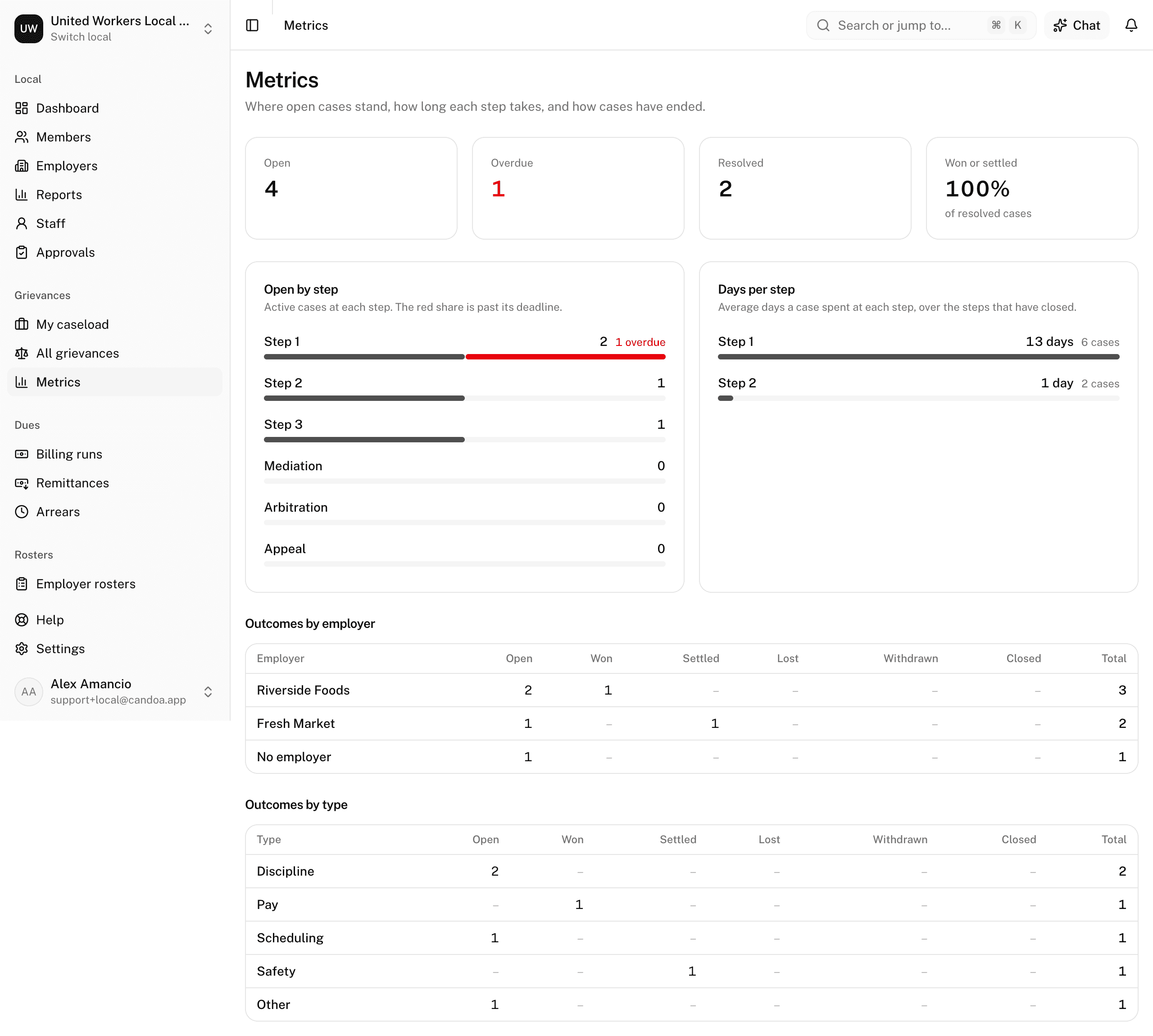
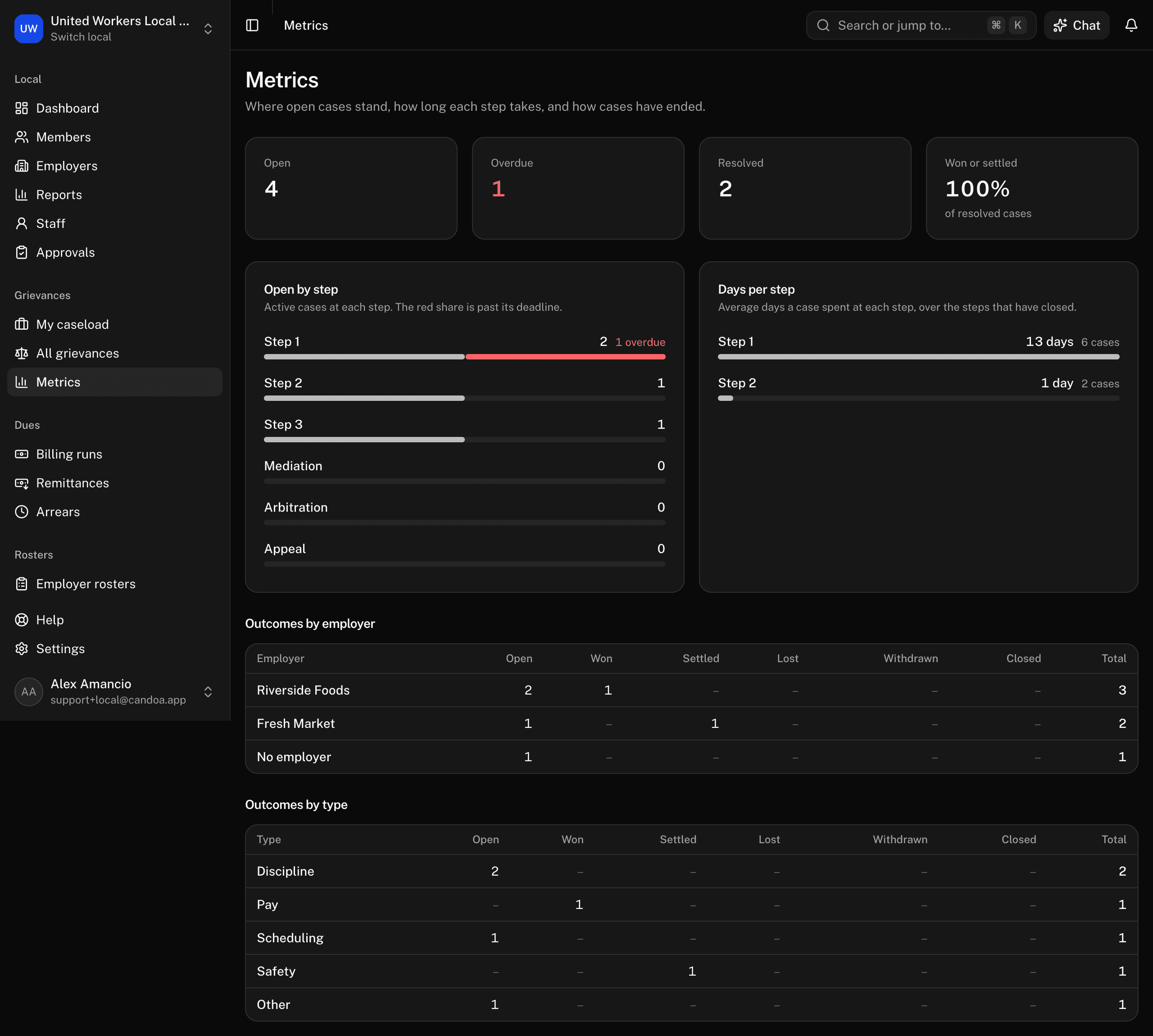
Read the headline tiles
- Open: cases that are open or pending.
- Overdue: active cases whose current step passed its due date. Red when above zero.
- Resolved: cases in any closed status.
- Won or settled: won plus settled as a share of resolved cases.
Read open cases by step
Every step of every procedure, in order, with how many active cases sit there and how many of those are overdue. The bar is grey for on time and red for overdue.
Read days per step
The average number of days cases spent at each step, over the visits that have closed. A step nobody has finished yet shows nothing.
Read outcomes by employer and by type
Tables of open cases and each outcome, with totals, per employer and per case type. A case with no employer counts under No employer.
These pages are the help for Candoa, the software a local runs its members, employers, and grievances on.
Set up your localUpdated 2026-09-15