The Grievances add-on
What a grievance is, how a case moves from filing to outcome, who can do what, and where each task is explained.
What a grievance is
A grievance is a formal complaint that the employer broke the contract: a discipline without just cause, unpaid hours, a schedule that ignored seniority, a safety rule not followed. It's filed for a member, the grievant, and worked by a steward and a business agent. A case filed for several members at once is a class grievance.
The contract sets a grievance procedure: a series of steps, each with a time limit and a person on each side. Step 1 might be a talk with the store manager within ten days; step 2 a meeting with the district manager; step 3 the local's officers and the company's labor relations; then mediation and arbitration, where an outside arbitrator decides. Missing a deadline can forfeit the case, which is why the add-on counts days and nags.
A case ends with an outcome: settled, won, lost, withdrawn, or closed some other way. Settlements often include terms and back pay, and both are recorded.
Turn the add-on on
The owner opens Settings › Add-ons, clicks Grievances, and presses Start 14 days free or Add it. See Add-ons and billing. The sidebar then gains My caseload, All grievances, and Metrics, and Settings gains Grievances. When the add-on is off, none of that exists and everything the local put into it is kept.
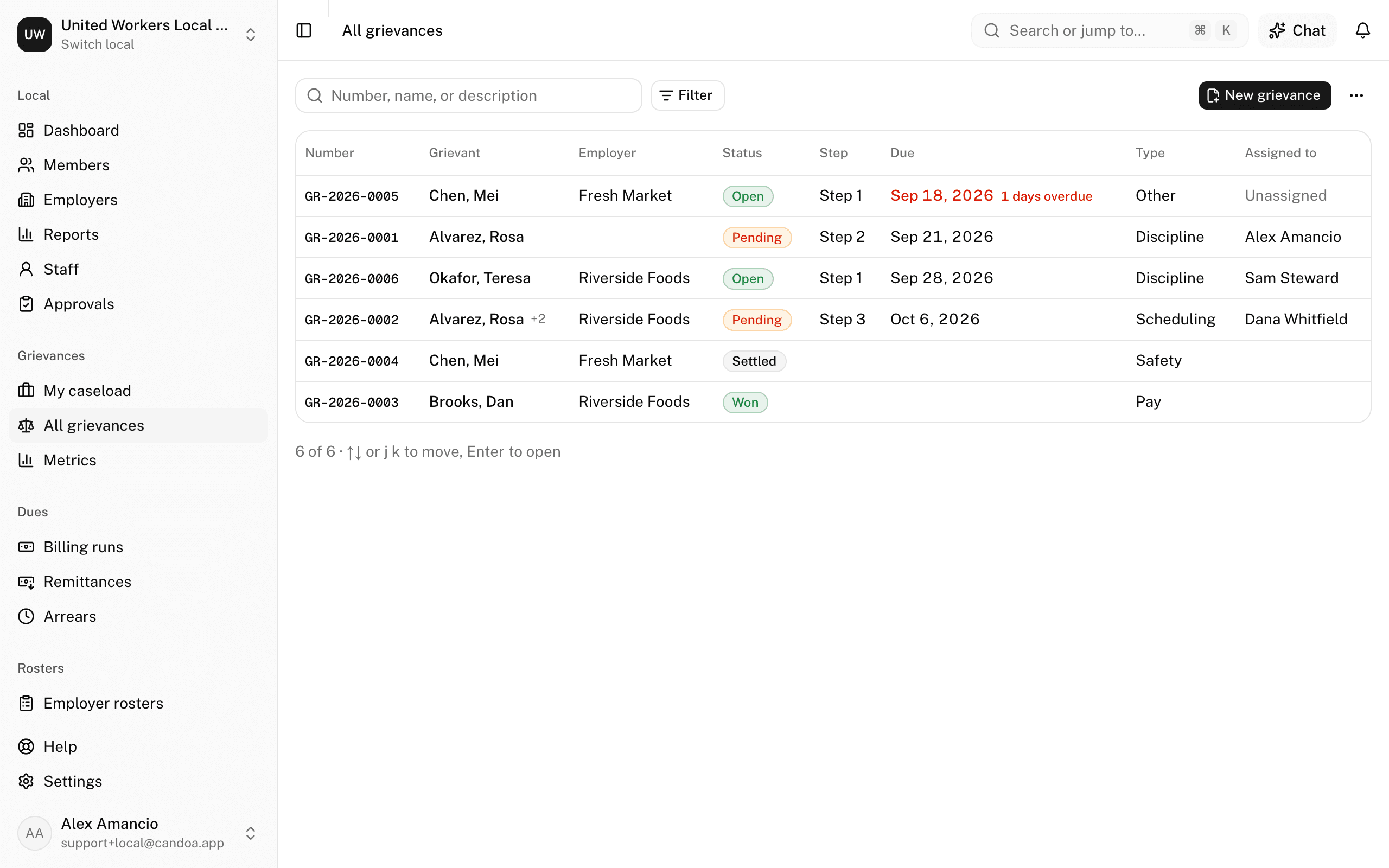
How a case moves
- Someone files a case for one or more grievants. It gets a number and starts at the first step of the local's procedure, with a deadline counted from the filing date. See Filing a grievance.
- The person acting at that step works it. When the employer answers or the time runs out, the case is moved forward, sent back, or closed. See A grievance record.
- Every step visit, deadline, extension, hearing, note, and file stays on the case.
- The case closes with an outcome. A closed case can be reopened.
The steps, their time limits, and who acts at each come from a procedure the local sets up once. See Procedures.
Who can do what
- Everyone with the add-on sees every case they're allowed to and can add notes.
- Owners, admins, agents, and stewards can file a case.
- Owners, admins, and agents can edit any case. So can the person acting at the current step, the case's business agent, and, when neither is set, whoever filed it.
- Owners and admins can delete a case and manage procedures and numbering.
Staff limited to certain employers only see cases whose grievants work there.
These pages are the help for Candoa, the software a local runs its members, employers, and grievances on.
Set up your localUpdated 2026-09-15